← Back to blogReference
What Is an E-Statement?
Your bank sent you a notification about a new "e-statement" — or you're seeing "estatement" on a form and aren't sure what it means. Here's everything you need to know.
March 9, 2026 · 4 min read
Quick answer
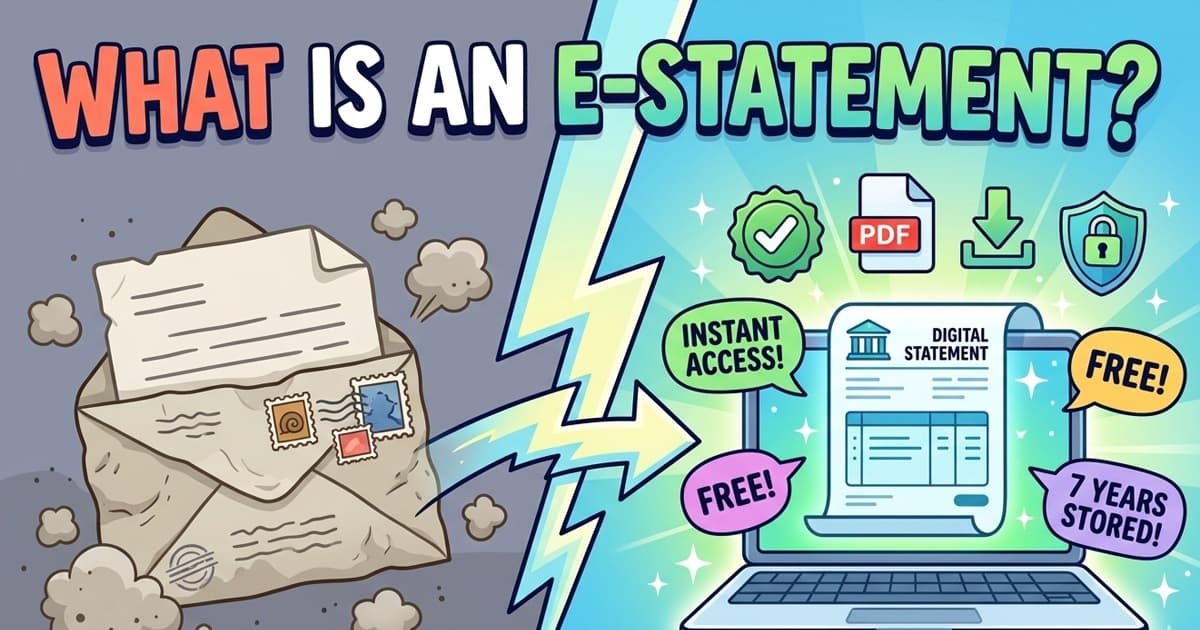
An e-statement (electronic statement) is a digital version of your monthly bank statement. Instead of arriving in the mail, it's available through your bank's website or app as a PDF. The content — transactions, balances, fees — is identical to a paper statement.
What is an e-statement?
An e-statement — short for electronic statement — is an official bank record delivered digitally rather than by post. Your bank compiles all transactions, deposits, withdrawals, fees, and balances for the month, then makes that document available through your online banking portal or mobile app.
You'll typically receive an email notification when your new statement is ready, with a link to log in and view it. The document itself is usually a PDF — formatted identically to what you'd receive in the mail, just without the paper and envelope.
Most US banks now default new accounts to paperless e-statements. If you're still receiving paper statements, you may be paying a monthly fee of $1–$5 for the privilege.
E-statement vs. paper statement
| Feature | Paper statement | E-statement |
|---|
| Delivery method | Mailed to your address | Available in online banking portal or app |
| Access speed | 7–10 days after period ends | Usually same day as period close |
| Storage | Physical filing required | Stored online for 1–7 years depending on bank |
| Searching | Manual page flipping | Ctrl+F in PDF, or search in app |
| Cost | Often $1–$5/month fee | Free at most banks |
| Environmental impact | Uses paper and postage | No physical materials |
| Risk of loss | Can be lost, stolen, damaged | No physical risk; backed up by bank |
| Accepted as proof? | Always accepted | Accepted in most situations; some require original bank letterhead |
How to access your e-statements
1
Log in to online banking
Go to your bank's website or open their mobile app. Use your username and password (plus any two-factor authentication your bank requires).
2
Find the Statements section
Look for 'Statements,' 'Documents,' 'eStatements,' or 'Account Documents' in the navigation. It's usually under your account details or the main menu.
3
Select the statement period
Statements are listed by month. Click the one you want to view or download.
4
Download as PDF
Use the download button to save a copy to your device. Store it somewhere organized — a folder per year works well. This PDF is your official statement and can be used for loan applications, tax records, or any other purpose.
How long do banks keep e-statements?
Online statement availability varies significantly by bank. Most major US banks store 5–7 years of e-statements. Here are typical windows at common banks:
| Bank | E-statements available online |
|---|
| Chase | 7 years |
| Bank of America | 18 months online (up to 7 years via request) |
| Wells Fargo | 7 years |
| Citi | 7 years |
| Capital One | 3 years online |
| US Bank | 7 years |
| Credit unions / smaller banks | Typically 12–36 months |
If you need older statements, contact your bank directly. Most banks can retrieve records going back 5–7 years, though there may be a fee for generating historical statements.
Are e-statements accepted as official documents?
In most situations, yes. A downloaded e-statement PDF is accepted for:
- Mortgage and loan applications
- Rental applications and landlord verification
- Proof of income or financial standing
- Tax preparation and record-keeping
- Visa applications (most countries)
- Legal proceedings and financial audits
The exception: some foreign embassies or government agencies require a certified bank statement — a physical document printed and stamped at a branch. If you're applying for a visa or a formal legal proceeding, check the specific requirements first.
Free tool · 30 seconds · No signup
Upload a statement.
See where every dollar goes.
AI reads your bank PDF, categorizes every transaction, finds subscriptions you forgot about, and exports everything to CSV.
Frequently asked questions
What does e-statement mean?
E-statement stands for electronic statement. It is a digital version of your monthly bank statement, delivered through your bank's website or mobile app instead of mailed to your home as a paper document. The content is identical — account number, transactions, balances, and fees — just in digital form.
Is an e-statement the same as a bank statement?
Yes. An e-statement contains the exact same information as a paper statement. The only difference is the delivery method. Both are official records of your account activity for a given period.
How do I get my e-statement?
Log in to your bank's website or mobile app, navigate to 'Statements,' 'Documents,' or 'Account Activity,' and select the month you want. Most banks store 12–84 months of statements. You can usually download them as PDF files.
Are e-statements accepted as proof of income or address?
In most cases, yes. Landlords, mortgage lenders, and visa applications typically accept e-statements downloaded as PDFs. Some government agencies or foreign institutions may require a certified paper statement with an official bank stamp — check the specific requirements beforehand.
How long do banks keep e-statements?
Most US banks keep e-statements for 5–7 years, though it varies. Chase and Bank of America typically keep 7 years. Smaller banks or credit unions may keep as few as 12–18 months online. For older records, you may need to request them directly from your branch.
Is it safe to go paperless?
Yes. E-statements are encrypted and stored on the bank's secure servers. The main risk is someone accessing your online banking login — which is why strong passwords and two-factor authentication are important. Paper statements carry their own risks: mail theft, misplacement, and physical damage.
Can I switch back to paper statements after going paperless?
Yes. You can usually toggle between paperless and paper statements in your account settings at any time. Some banks charge a monthly fee ($1–$5) for paper statements to encourage digital adoption.
What is an e-statement fee?
Most banks charge no fee for e-statements — in fact, banks often charge a paper statement fee ($1–$5/month) if you opt out of paperless. The 'paper statement fee' on your bank statement is the cost of receiving a mailed copy.
Decoding every line on your statement by hand is slow. A
bank statement analyzer reads the whole PDF in 30 seconds and labels every merchant automatically.
Other mystery charges explained
Reference6 min read
What Is a POS Hold on a Debit Card? Meaning, Duration & How to Remove (2026)
A POS hold reserves funds on your debit card after a purchase. Learn why gas stations, hotels and restaurants place holds, how long they last, and what to do if a hold won't drop off.
→
Reference4 min read
What Is a Counter Deposit on a Bank Statement? — 2026
Counter deposit = money deposited at a bank teller's counter — cash, check, or money order handed to a bank employee at the branch. How it differs from counter credit, ATM, and mobile deposits, and what triggers it.
→
Reference6 min read
What Does Overdraft Mean on a Bank Statement? (2026 Guide)
An overdraft on your bank statement means you spent more than your available balance and the bank covered the difference — usually with a $30–$36 fee. See every overdraft code, why you got charged, and how to get the fee refunded.
→