Analyze your bank statement

Upload PDF → see categorized spending, charts, subscriptions, and export to CSV. Free, 30 sec.

AI categorization
Spending charts
CSV & Excel export
Private & encrypted
Upload your PDF free →

No signup · deleted after analysis

← Back to blog
Reference

What Is a Counter Deposit on a Bank Statement?

Your statement says "counter deposit" (or "counter credit," or "branch deposit"). Here's exactly what it means, how it shows up, and how it differs from ATM, mobile, and ACH deposits.

April 26, 2026 · 4 min read
Quick answer

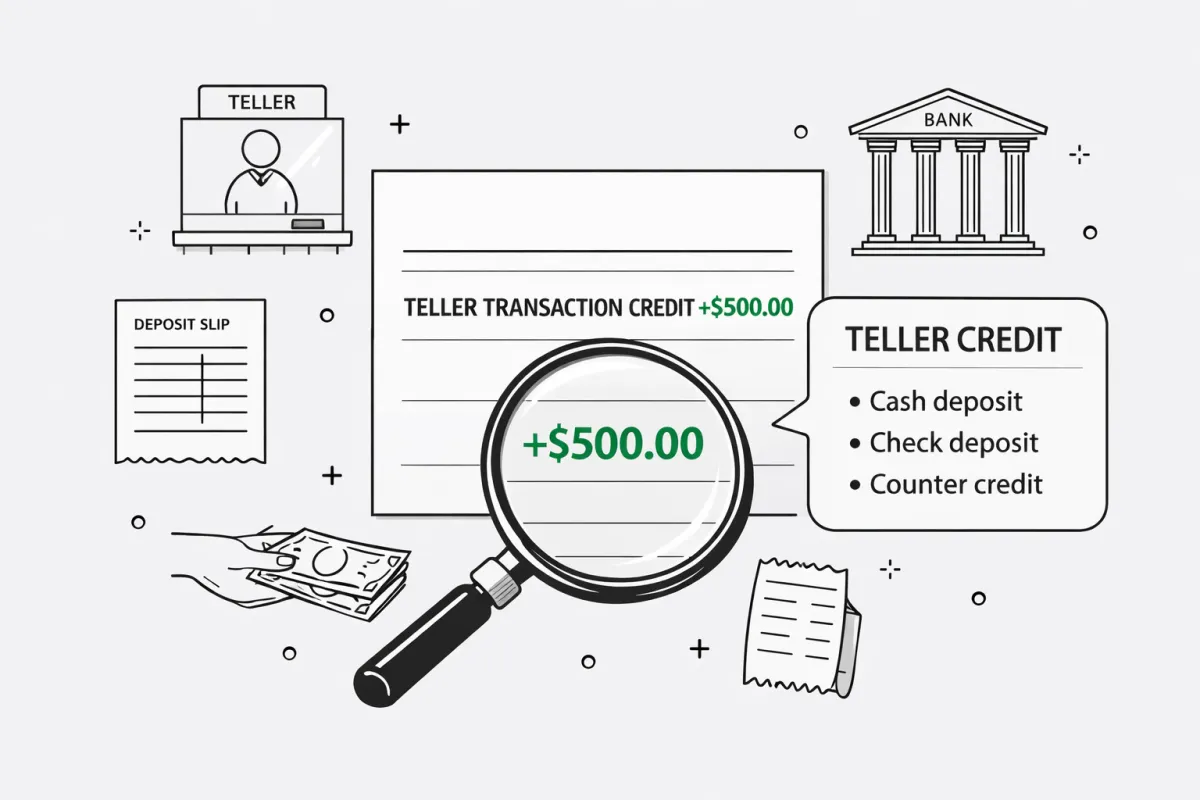
A counter deposit is money handed to a bank teller at the branch counter — cash, a check, or a money order. The teller processes it in person and credits your account. On most US bank statements it's printed as counter credit, teller transaction credit, or branch deposit, but they all describe the same in-person teller deposit.

What does counter deposit mean?

Break the phrase apart: "counter" refers to the physical teller counter inside a bank branch, and "deposit" means money added to your account. A counter deposit is the moment you hand cash or a check across that counter and the teller credits the funds to your account.

The label that appears on your monthly statement depends on the bank. Most US banks call it counter credit; Bank of America uses teller transaction credit; some banks just say "branch deposit." The terms are interchangeable.

Counter deposit vs other deposit methods

MethodWhereAvailabilityLimit
Counter depositBank teller at branchSame day (cash) / 1–2 days (check)Usually no daily limit
ATM depositBank-owned ATMSame day (cash) / 1–3 days (check)Often capped at $5,000–$10,000/day
Mobile depositBank app on phone1–2 business days$2,500–$25,000/day depending on tier
Direct deposit / ACHEmployer or senderSame day (most banks)No practical limit

What it looks like on your statement

A typical counter deposit entry looks like this:

DATEDESCRIPTIONAMOUNT
04/14/2026COUNTER DEPOSIT+$1,200.00

How to make a counter deposit

  1. Visit any branch of your bank during opening hours.
  2. Fill out a deposit slip — your account number, today's date, the deposit amount, and a breakdown if you're depositing both cash and checks.
  3. Hand the slip and the funds to the teller. Bring photo ID for large cash deposits or third-party checks.
  4. Take the stamped receipt. The funds appear the same day for cash and within 1–2 business days for checks.

If you're reconciling a bank statement, match each counter deposit entry to a stamped deposit slip from that day. Banks rarely include enough description on the statement alone — the deposit slip is the backup record.

Free tool · 30 seconds · No signup

Upload a statement.
See where every dollar goes.

AI reads your bank PDF, categorizes every transaction, finds subscriptions you forgot about, and exports everything to CSV.

Frequently asked questions

What is a counter deposit?
A counter deposit is money handed to a bank teller at the branch counter — cash, a personal check, a money order, or a cashier's check. The teller processes it on the spot and adds the funds to your account. The transaction shows up on your statement as a counter deposit, counter credit, branch deposit, or teller transaction credit depending on the bank.
What's the difference between a counter deposit and a counter credit?
They describe the same event from two angles. “Counter deposit” is the action you take — handing money to a teller. “Counter credit” is what the bank records on the statement when the deposit clears. Most US banks use “counter credit” as the printed label, while “counter deposit” is more common in conversation, deposit slips, and Indian/UK statements.
How do I make a counter deposit?
Walk into any branch of your bank, fill in a deposit slip with your account number and the amount, and hand it to the teller along with the cash or check. Bring photo ID if you’re depositing a large amount or a third-party check. The teller stamps the slip, gives you a receipt, and the funds usually appear the same business day for cash or within 1–2 business days for checks.
Does Chase call it a counter deposit?
Chase prints the entry as “COUNTER CREDIT” on monthly statements, but their deposit slips and branch staff use “counter deposit” interchangeably. Bank of America uses “TELLER TRANSACTION CREDIT.” Wells Fargo and Capital One typically use “BRANCH DEPOSIT.” All four refer to the same in-person teller deposit.
Is there a fee for a counter deposit?
Personal checking and savings accounts almost never charge a fee for counter deposits. Some business accounts or premium tier accounts charge a per-deposit or per-cash-bundle fee once you exceed a monthly limit (commonly $5,000–$10,000 in cash). Check your account fee schedule if you regularly deposit large cash amounts.
How long does a counter deposit take to clear?
Cash counter deposits are usually available the same business day or by the next business morning. Check counter deposits typically clear within 1–2 business days, though large checks, new accounts, or out-of-state checks can be held for up to 5–7 business days under standard funds-availability rules.
Can someone else make a counter deposit into my account?
Yes. Anyone can deposit cash or a check into your account at the branch counter as long as they know your account number — they don’t need to be on the account. Some banks have started restricting this for fraud prevention, requiring ID or limiting third-party cash deposits, but it’s still allowed at most banks for checks made out to the account holder.
Decoding every line on your statement by hand is slow. A bank statement analyzer reads the whole PDF in 30 seconds and labels every merchant automatically.
Other mystery charges explained
Amazon chargesApple.com/billNetflix / 121 Albright WaySP SpotifyUber / Uber EatsGoogle / 1600 AmphitheatreMSFT (Microsoft)POS chargesComenity PayTPG ProductsWMT Plus (Walmart)SQ (Square)
Continue readingView all posts →
Reference6 min read
What Does Overdraft Mean on a Bank Statement? (2026 Guide)
An overdraft on your bank statement means you spent more than your available balance and the bank covered the difference — usually with a $30–$36 fee. See every overdraft code, why you got charged, and how to get the fee refunded.
Reference5 min read
What Does ACH Mean on a Bank Statement? (Credit, Debit & Returns Explained)
ACH stands for Automated Clearing House — the electronic network behind direct deposits, bill payments, and bank transfers. See what ACH credits, ACH debits, and ACH returns look like on your statement and why they appear.
Reference5 min read
What Is an NSF Fee on a Bank Statement? (Non-Sufficient Funds Explained)
NSF stands for Non-Sufficient Funds — a fee charged when a payment bounces because your balance is too low. See what NSF fees look like on statements, how much they cost, how to get them waived, and how to avoid them.