

PDF passwords
IndusInd Bank Statement Password: How to Open Your PDF
January 1, 20265 min read
This is the repeatedly reported password format for IndusInd Bank PDF statements, but IndusInd Bank does not consistently publish the exact PDF-password rule on a single public help page. The bank’s official digital-banking and support pages confirm the names of its services and customer-care channels; the DDMMYYYY format should therefore be treated as the standard reported format, not as a universal guarantee for every document or account.
Unlock your statement right here
Three steps, and the file never leaves your device — it is decrypted in your browser.
Add the locked PDF
Drop your password-protected PDFTap to upload your PDF
or click to browse · PDF only · max 20MB
Type the password
Free · Processed in your browser · Never uploaded to any server
IndusInd Bank statement password format
For most IndusInd Bank e-statements, try the following format first:
| Channel or document | Password to try | How solid |
|---|---|---|
| Savings-account PDF statement | Date of birth as DDMMYYYY, such as 15081990 | Reported consistently |
| Current-account PDF statement | Date of birth as DDMMYYYY | Reported consistently; business accounts can differ |
| Statement downloaded through IndusNet | Date of birth as DDMMYYYY | Reported consistently |
| Statement received by email | Date of birth as DDMMYYYY | Read the email first — it may name its own format |
| Interest certificate PDF | Date of birth as DDMMYYYY | Worth trying; not confirmed per document |
| Excel statement export | Usually none | Not a PDF password question at all |
Where a document arrives with its own instruction, that instruction wins over anything in this table.
Example: how to enter the password
Assume the account holder’s date of birth is 15 August 1990. The password should be:
15081990
Enter the date as:
- Day first: 15
- Month second: 08
- Year last: 1990
- Total length: eight digits
- No spaces
- No /, -, or .
- No words such as DOB
- No mobile number unless the bank’s message specifically instructs you to use one
Do not enter 15/08/1990, 15-08-1990, 15081990 with a trailing space, or 150890.
How to open an IndusInd Bank statement PDF
On an Android phone or iPhone
- Download the statement attachment from your email or banking application.
- Open the file with a PDF reader such as Adobe Acrobat Reader, Google Drive PDF Viewer, Apple Books, or the built-in file viewer.
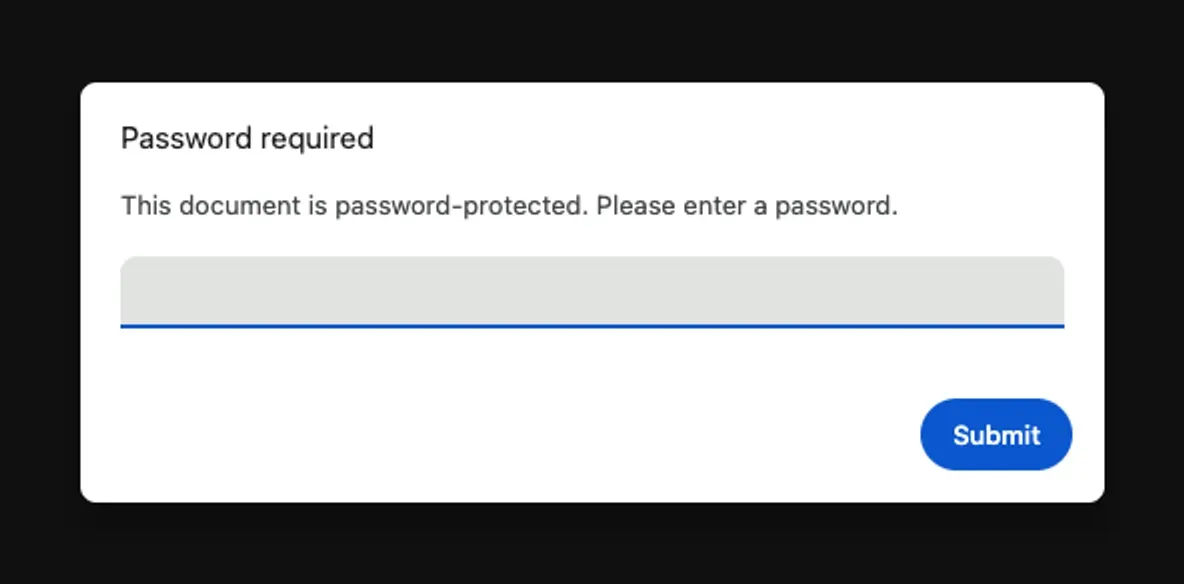
- When the password box appears, enter your date of birth in DDMMYYYY format.
- For the test date 15 August 1990, enter 15081990.
- Tap Open, Submit, or the equivalent button.
- If the file still does not open, download it again instead of repeatedly entering passwords into a damaged copy.
If you are opening the file from an email app, save the attachment to the device first. Some email previews do not handle encrypted PDFs correctly, even when the password is valid.
On a Windows or Mac computer
- 1Download the original PDF attachment rather than opening only the browser preview.
- 2Open the file in Adobe Acrobat Reader, Preview on macOS, Microsoft Edge, Google Chrome, or another trusted PDF reader.
- 3Enter the eight-digit date-of-birth password.
- 4Check that the keyboard is using numbers and that no spaces were added before or after the password.
- 5If the PDF reader reports an incorrect password, download the attachment again and try a different supported PDF reader.
- 6Do not rename the file while troubleshooting unless necessary; renaming does not remove PDF encryption.
If the file opens in one PDF reader but not another, the problem may be the reader rather than the IndusInd Bank password.
Where to check your date of birth in IndusMobile
IndusMobile is the IndusInd Bank mobile-banking application. If you are unsure which date of birth the bank has recorded for your customer profile, check the profile information in the application:
- Open IndusMobile.
- Sign in using the normal mobile-banking login process.
- Open Profile.
- Review the personal details and date-of-birth information shown there.
- Convert the date to DDMMYYYY before trying it as the PDF password.
The profile path is reported as IndusMobile → Profile. Menu names can change after an application update, and some personal information may be partially hidden for security reasons. If the date is missing, incorrect, or cannot be edited, contact IndusInd Bank through an official support channel.
Do not guess a date based on a PAN card, Aadhaar record, or another document if the date stored in the bank profile may be different. The PDF password is generated from the information associated with the bank’s customer record.
IndusNet and the PDF password
IndusNet is IndusInd Bank’s internet-banking service. The password used to open an encrypted statement PDF is separate from the password used to sign in to IndusNet.
This distinction matters:
- PDF password: Used only to open a downloaded statement or other protected document.
- IndusNet login password: Used to sign in to internet banking.
- Transaction password or OTP: May be required for selected banking actions.
- Mobile-banking credentials: Used to access IndusMobile.
Changing your IndusNet password normally does not change the password already assigned to a previously generated PDF. Conversely, entering the date of birth into the IndusNet login page will not work as an internet-banking password unless you have separately set it that way.
The query “indusind bank net banking forgot password” refers to a different recovery process. Use IndusInd Bank’s official IndusNet login or password-recovery flow for a forgotten internet-banking password. Do not use an untrusted website that asks for your card number, PIN, OTP, or full banking credentials.
Current-account and business-account statements
Customers often search for “indusind bank current account statement password” or “indusind bank statement password for current account.” The first format to test for a current-account PDF is still the account holder’s or customer profile’s date of birth in DDMMYYYY format.
However, business and current accounts can be handled differently from personal savings accounts. The PDF may be generated for:
- An individual proprietor
- A partnership
- A company
- A trust or other organisation
- A corporate internet-banking user
- A relationship with multiple authorised signatories
Because of these differences, the personal date of birth may not be the correct key for every business document. Check the message accompanying the statement for a document-specific instruction. If the email says that the password is based on a customer ID, PAN, account number, or another identifier, follow that instruction instead of assuming the personal DOB format.
Never publish or send a complete account number, customer ID, PAN, or password while asking for help.
Savings-account statements
For a personal savings account, the search terms “indusind bank savings account statement password” and “indusind bank saving account statement password” generally refer to the same issue: opening the encrypted PDF sent by the bank.
Try the customer’s date of birth in this order:
- Use the date stored in the bank’s customer profile.
- Convert it to DDMMYYYY.
- Remove all punctuation.
- Enter all eight digits in one operation.
- Download a fresh copy if the original file may be incomplete.
For example, a test date of 15 August 1990 becomes:
15081990
The date must belong to the customer profile associated with the statement. It may not be the date of birth of a nominee, joint holder, authorised person, or cardholder.
IndusInd Bank interest certificate password
An interest certificate is a tax-related document and may be generated separately from a regular account statement. Customers searching for “indusind bank interest certificate password” should not assume that every certificate uses exactly the same encryption rule as a monthly statement.
First check:
- The email that delivered the certificate
- The download page in IndusNet or IndusMobile
- Any instructions printed in the message
- The file name and document type
- Whether the certificate was issued for an individual or business relationship
If no instruction is supplied, DDMMYYYY is a reasonable first test based on the repeated statement-PDF pattern. It remains an RP rather than a confirmed universal rule for every interest certificate. Do not use the certificate’s password as your IndusNet login password.
IndusInd Bank Excel statement password
The password for an Excel export may not be identical to the password for a PDF statement. People often search for “indusind bank excel statement password” or “what is the password for indusind bank statement excel” after downloading an .xls or .xlsx file.
Use this process:
- Identify whether the file is actually an Excel workbook or a PDF with an Excel-related file name.
- Read the download or email instructions.
- Try DDMMYYYY only if the bank’s instructions indicate that the document uses the standard statement password.
- If the workbook asks for a workbook password, do not repeatedly guess.
- Download a new export through the official banking channel or contact the bank.
A PDF encryption rule cannot be treated as proof of an Excel encryption rule. The two formats may be produced by different systems.
IndusInd bank ka PDF password kya hai?
If you are asking, “indusind bank ka pdf password kya hai?” or “indusind bank ka statement ka password kya hota hai?”, the usual answer is your date of birth in DDMMYYYY format.
For example, 15 August 1990 becomes 15081990. Enter only eight digits. If this does not work, check the date saved in IndusMobile → Profile, read the instructions in the statement email, download the document again, and contact IndusInd Bank if the issue continues.
Why the password does not work
“It’s not working” because punctuation was included
The most common input mistake is using the display format of the date instead of the password format. Replace 15/08/1990 with 15081990.
The date of birth in the bank record is different
The bank may have an old or incorrectly entered date of birth. Check IndusMobile → Profile and compare it with the date used in the account records.
The statement belongs to another customer profile
For joint accounts, business accounts, and accounts accessed by an authorised user, the relevant customer profile may not be the one you expected. The document email or bank support team can confirm which profile controls the password.
The attachment is incomplete
A partially downloaded PDF can produce misleading password errors. Delete the local copy, download it again from the original email or official banking channel, and open the new file.
The document uses a different password rule
Interest certificates, corporate statements, and Excel exports may use a document-specific format. Read the email or download instructions before continuing.
The PDF reader is causing the error
Try Adobe Acrobat Reader, Preview, or another current PDF reader. Do not upload a bank statement to an unknown online “PDF unlocker,” because the file may contain account numbers, balances, and transaction details.
The file is not actually from the bank
Check the sender address and avoid links in suspicious messages. Download statements through IndusMobile or IndusNet when possible, and never disclose an OTP, card PIN, CVV, or internet-banking password to someone claiming to provide PDF support.
Contacting IndusInd Bank
For help with a statement password, customer-profile date of birth, damaged attachment, or document-specific password, contact IndusInd Bank through an official channel.
The commonly listed IndusInd Bank customer-care number is:
1860-500-5004
Have the relevant account or customer details available, but do not disclose your internet-banking password, card PIN, CVV, or OTP. If you are calling about a current account, interest certificate, or business statement, state the exact document type and the date on which it was generated.
Sources
- https://www.indusind.com/in/en/personal/contact-us.html)
- https://www.indusind.com/)
- https://indusnet.indusind.com/)
- https://www.indusind.com/in/en/personal/digital-banking.html)
- https://www.indusind.com/in/en/personal/digital-banking/mobile-banking.html)
- https://www.indusind.com/in/en/personal/support.html)
Frequently asked questions
What is the IndusInd Bank statement password?
The usual IndusInd Bank statement password is the customer’s date of birth in DDMMYYYY format. For 15 August 1990, the password is 15081990. This is a repeatedly reported format and should be checked against the instructions delivered with the statement.
How do I open IndusInd Bank statement PDF password files?
Download the original PDF and open it in a current PDF reader. Enter the date of birth as eight digits without spaces or punctuation, then try a fresh download or another PDF reader if it fails.
What is the IndusInd Bank PDF password for a current account?
A current-account PDF may use the customer or authorised profile’s date of birth in DDMMYYYY format. Business documents can use a different rule, so follow the document-specific email instructions if they differ.
What is the IndusInd Bank savings account statement password?
For a personal savings-account statement, try the account customer’s date of birth in DDMMYYYY format. Confirm that the date matches the bank’s record rather than relying on a date belonging to another joint holder.
What is the password for opening an IndusInd Bank statement?
Start with the eight-digit date of birth, such as 15081990. Do not add slashes, spaces, the word DOB, or a mobile number unless the bank specifically instructs you to do so.
Why is my IndusInd Bank statement password not working?
The date may be entered with punctuation, the bank may have a different date on file, or the document may use a separate password rule. Check IndusMobile → Profile, download the file again, read the email instructions, and contact the bank if necessary.
Is the IndusInd PDF password the same as the IndusNet password?
No. The PDF password protects a downloaded document, while the IndusNet password signs you in to internet banking. A forgotten IndusNet password must be recovered through the official IndusNet process.
What is the IndusInd Bank interest certificate or Excel statement password?
An interest certificate or Excel export may use a document-specific password and is not automatically covered by the PDF statement rule. Try the documented format first and use DDMMYYYY only when the bank’s instructions support that format.

