Redact bank statement
Upload a PDF — AI removes account numbers , names , addresses — keeps transactions intact. A free online bank statement redaction tool: no account, and the original file is discarded straight after processing.
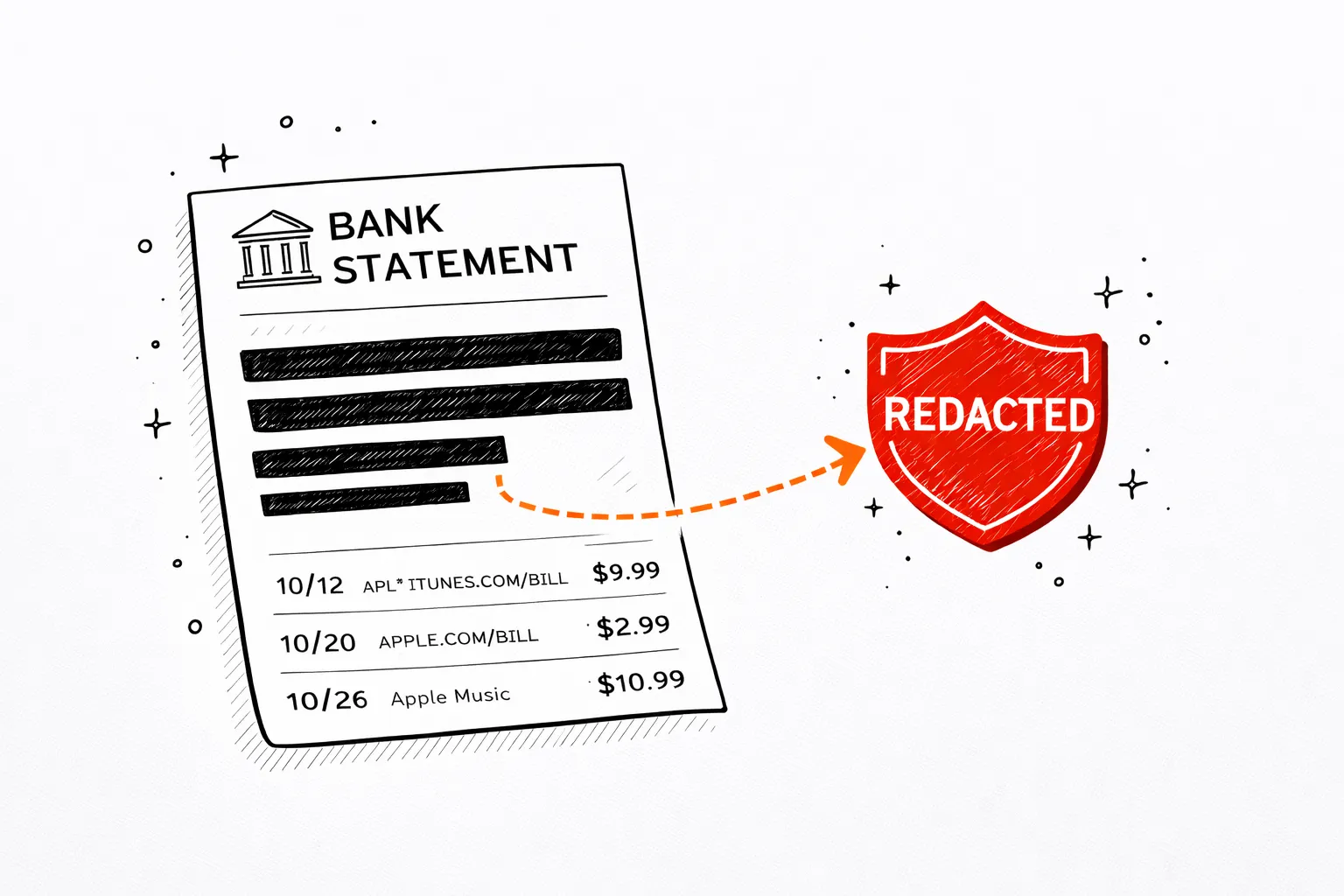
A redacted bank statement, before and after
What gets redacted — and what stays
All identifying information removed. All financial data kept intact.
Removed (PII)
Kept (financial data)
Why manual redaction isn't enough
Blacking out fields in a PDF editor is error-prone — you might miss an account number in the footer, a name in the header, or an IBAN buried in the transaction details.
Our AI scans the entire document layout and catches every piece ofPIIregardless of where it appears — headers, footers, margins, or inline with transactions.
redacted
7 fields
When to redact a bank statement
Protect your account details while sharing what's needed.
Rental applications
Show a landlord you can afford rent without exposing your account number.
Mortgage & loans
Submit proof of income to lenders while protecting sensitive account details.
Visa applications
Provide proof of funds to immigration authorities without full account exposure.
Legal documents
Share statements with solicitors or courts with personal identifiers removed.
Accountants & advisors
Give your accountant transaction history without handing over full account details.
Scholarship applications
Demonstrate financial means to universities or scholarship committees safely.
HR & payroll teams
Verify employee income during onboarding or salary reviews without storing full account details.
Why redacting your bank statement matters
Every bank statement contains sensitive PII:account numbers,full names, andaddresses. Sharing an unredacted statement with a landlord, employer, or lender exposes you to identity theft and unauthorized account access.
On the receiving end of a redacted statement instead? Run it through the fake bank statement detector to check whether the PDF was edited before it reached you.
Privacy regulations like GDPR, CCPA, and POPIA require data minimization — share only what is needed and nothing more. Redacting a bank statement before sending it to a third party is consistent with these principles. For businesses handling client financial documents, automated redaction reduces compliance risk.
Unlike manual redaction — where you black out fields in a PDF editor and risk missing a field — our tool usesGemini Vision AIto scan the entire document and identify every piece of PII regardless of where it appears. The original file is discarded immediately after processing.
Secure
Your PDF is processed in memory and never saved to disk. All data is encrypted in transit.

Private
We never sell or share your financial data. Anonymous uploads are auto-deleted after 7 days.
Transparent
No hidden fees, no account required. Try one statement without an account; the free upload is one-time, not monthly.
Statement analyzer pricing
Pro
For heavy files and repeat work
- 200 PDF pages per billing cycle
- Unlimited visible transactions per report
- Subscription and recurring charge detection
- Priority support
Business
For lenders, accountants, and teams processing at volume
- 500 PDF pages per billing cycle, then $0.08/page
- REST API access with your own keys
- Unlimited visible transactions per report
- Priority support
FAQ
Redact bank statement FAQ
Redacted and ready
Share it safely.
Then see what it says.
The same statement, categorized into a spending report — for you, not for whoever you had to send the redacted copy to.
Open the analyzer →