Turn a bank statement PDF into a QIF file
Upload the statement, get a .qif you can import straight into Quicken, QuickBooks Desktop, GnuCash, or Moneydance.
See the difference
From messy PDF to clean QIF
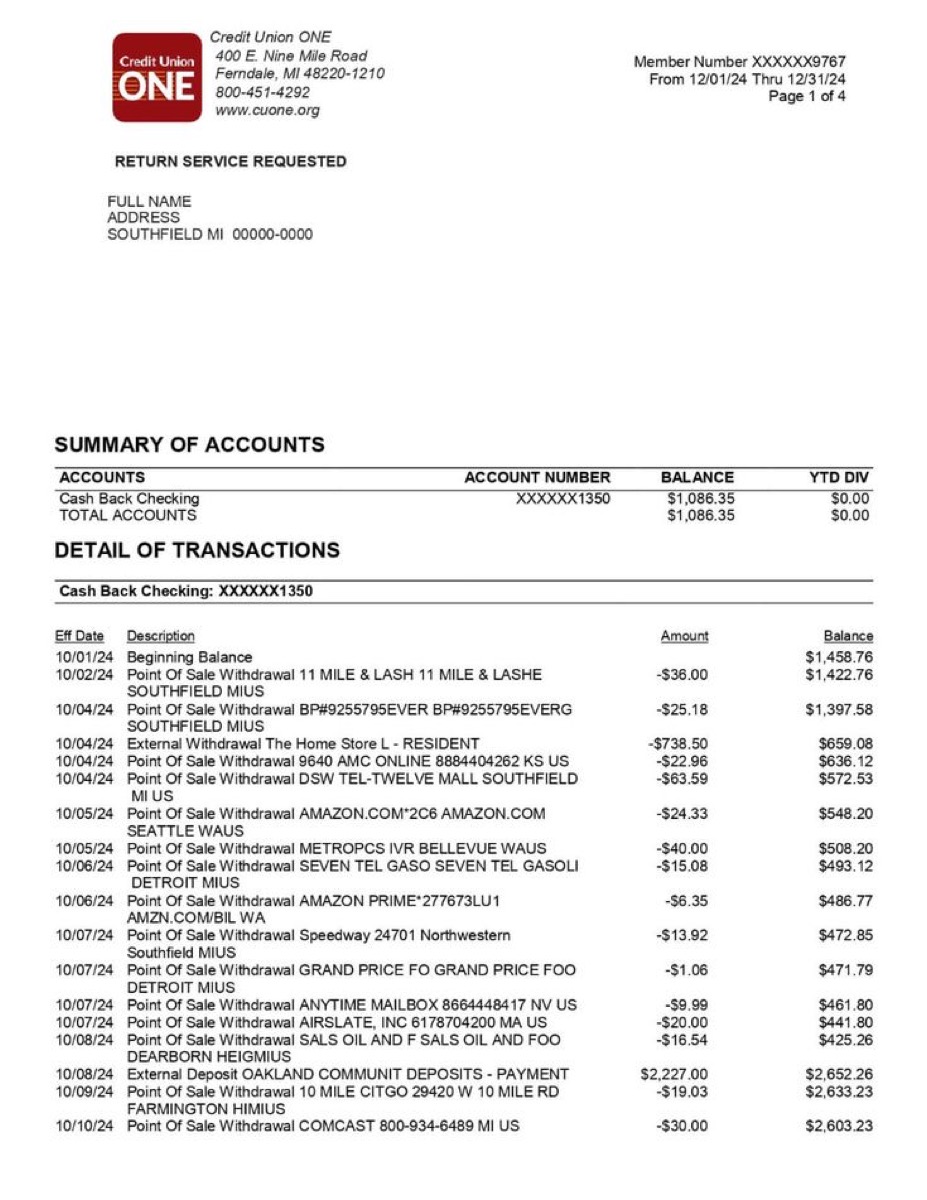
bankstatement.pdf
!Type:Bank
D10/15/2025
T-67.42
PWHOLEFDS MKT #10247
LGroceries
^
D10/15/2025
T-4.75
PSTARBUCKS #8291
LDining Out
^
D10/14/2025
T-1,850.00
PZELLE TO LANDLORD
LHousing
^
D10/14/2025
T2,847.63
PPAYROLL - ACME CORP
LIncome
^
bankstatement.qif
How it works
Three steps to a clean QIF file
Upload your PDF
Drag and drop your bank statement — downloaded from your bank or scanned from paper. Both work.
AI extracts every transaction
Our AI reads each row, identifies dates, merchants, and amounts, then classifies spending into 19 categories.
Download QIF & import into Quicken
One click exports a QIF file — ready to import into Quicken, QuickBooks Desktop, GnuCash, or Moneydance.
1.Upload your PDF
Drag and drop your bank statement — downloaded from your bank or scanned from paper. Both work.
2.AI extracts every transaction
Our AI reads each row, identifies dates, merchants, and amounts, then classifies spending into 19 categories.
3.Download QIF & import into Quicken
One click exports a QIF file — ready to import into Quicken, QuickBooks Desktop, GnuCash, or Moneydance.
Why us
Not just a PDF converter — a bank statement QIF exporter
Preview
What the QIF export looks like
A clean, structured QIF file — imports directly into Quicken, GnuCash, or Moneydance.
The problem
Why you need a PDF to QIF converter
PDF to QIF: get your bank transactions into Quicken
Converting a PDF bank statement to QIF is the fastest way to import transactions into Quicken, QuickBooks Desktop, GnuCash, or Moneydance. QIF (Quicken Interchange Format) stores each transaction as a tagged text block — date, amount, payee, and category — that these applications can read natively without any column mapping or manual configuration.
One of the trickiest parts of PDF-to-QIF conversion is handling date formats correctly. Banks around the world use different conventions: MM/DD/YYYY in the US, DD/MM/YYYY in the UK and Europe, YYYY-MM-DD in parts of Asia. Our AI detects the date format used in your specific statement and normalizes every date to the MM/DD/YYYY format that QIF requires. This prevents the common problem of swapped day and month values that can silently corrupt your financial records.
The converter also preserves transaction types accurately. Debits appear as negative amounts in the T (amount) field, credits as positive values. When your statement includes check numbers, they are extracted into the N (number) field so Quicken can match them against your check register. Multi-page PDFs are handled seamlessly — upload a 10-page quarterly statement and every transaction across all pages ends up in a single QIF file, in chronological order.
Whether your PDF was downloaded from your bank's website or scanned from a paper statement mailed to your home, the extraction works the same way. Our AI reads both digitally generated PDFs and scanned documents(via OCR), identifying transaction rows regardless of your bank's specific formatting. The result is a ready-to-import QIF file that saves you the hours of manual data entry that PDF statements otherwise require.
Statement analyzer pricing
Pro
For heavy files and repeat work
- 200 PDF pages per billing cycle
- Unlimited visible transactions per report
- Subscription and recurring charge detection
- Priority support
Business
For lenders, accountants, and teams processing at volume
- 500 PDF pages per billing cycle, then $0.08/page
- REST API access with your own keys
- Unlimited visible transactions per report
- Priority support
FAQ
PDF to QIF converter FAQ
What is a QIF file?+−
Is it really free?+−
Which banks are supported?+−
Does this work with QuickBooks Online?+−
Will importing the QIF create duplicate transactions?+−
Does the QIF include check numbers?+−
Is my PDF secure?+−
Convert your PDF to QIF — free
No account required. Get a clean QIF file ready for Quicken in under 30 seconds.
Upload PDF & Convert to QIFAlready have a QIF file that won't import? Check it with the free validator — it names the exact line the importer is rejecting.