

PDF passwords
SBI Statement PDF Password: YONO & Net Banking
January 1, 20265 min read
SBI PDF password depends on where you downloaded the statement. YONO app = date of birth as DDMMYYYY. Net Banking (OnlineSBI) = your full account number. Credit card portal = first 4 letters of your name (lowercase) + DDMM of DOB. Get the source wrong and the password fails, even when the format is right — the table below has all four, with examples.
Unlock your statement right here
Three steps, and the file never leaves your device — it is decrypted in your browser.
Pick where you downloaded it
Pick one and the exact password format appears here.
Add the locked PDF
Drop your password-protected PDFTap to upload your PDF
or click to browse · PDF only · max 20MB
Type the password
Free · Processed in your browser · Never uploaded to any server
Password format by download source
| Source | Password format | Example |
|---|---|---|
| YONO SBI app | DOB in DDMMYYYY | 15081990 |
| OnlineSBI (Net Banking) | Full account number (11 digits) | 12345678901 |
| SBI Credit Card portal | First 4 letters of name + DDMM | raje1508 |
| SBI email e-statement (legacy) | DOB in DDMMYYYY | 15081990 |
SMS statements use a password you picked yourself
There is a fourth channel most guides leave out, and it is the single most common reason a correct-looking password fails. If you requested the statement by SMS — texting ESTMT <account number> <code> to 917208933145 — then the PDF that lands in your inbox is encrypted with the four-digit code you typed in that message, not with your date of birth or account number. SBI documents this itself: the code is “any 4 digit number of your choice which will be used to encrypt the PDF attachment sent to your registered email address”, and the statement covers the last six months of a savings account.
If you sent that SMS weeks ago and no longer remember the number you chose, nothing recovers it — send a fresh ESTMT request with a code you will remember and open the new file instead. Source: SBI Quick / SMS banking.
WhatsApp and emailed statements
SBI WhatsApp Banking runs on +91 90226 90226 — you register by sending “Hi” and confirming an OTP, and the service can send a full account statement PDF as well as a balance and mini statement, free, around the clock. That much is on SBI's own WhatsApp banking page.
The password on those WhatsApp and auto-emailed statements is the part SBI does not publish. The format customers report consistently is the last 5 digits of the registered mobile number followed by the date of birth as DDMMYY — for a number ending 98765 and a date of birth of 15 August 1990, that is 98765150890. Treat it as the first thing to try rather than a documented rule, and read the covering message before guessing: the bank states the format in the message that carries the file, and that hint outranks any list on the internet, including this one.
Why SBI has so many password formats
The logic is easier once you stop thinking about SBI and start thinking about the channel. The password is always something that channel already knows about you and nothing else does:
- YONO — you are signed in, so the file only has to be safe on your phone. Date of birth is enough.
- Net Banking — the same file may be re-downloaded on a shared computer, so it uses the account number, which a shoulder-surfer is less likely to know.
- Email and WhatsApp — the bank is pushing a file into an inbox it does not control, so it uses two facts combined: your mobile number and your date of birth.
- SMS request — the bank has no secret to hand you at all, so it makes you supply one.
- SBI Card — a card statement is issued by a separate company, SBI Cards and Payment Services, which is why its format has nothing in common with the bank's.
So the question to answer is never “what is the SBI password” but “which channel produced this file”. Every failed password we see traces back to answering the second question wrong.
SBI statement ka password kya hota hai?
Same answer, in short: it depends on where the file came from. A statement downloaded inside the YONO app opens with your date of birth as eight digits (15081990). One downloaded from OnlineSBI net banking opens with your full account number. One that arrived by email or WhatsApp is usually the last 5 digits of your registered mobile plus DDMMYY, and one you asked for by SMS opens with the 4-digit code you sent. There is no single SBI password that works everywhere.
FD receipts, PPF statements, nominee and balance certificates
These are separate documents produced by separate systems, and SBI publishes no password list for any of them. That is the honest starting point: for an FD advice, a PPF statement, a nominee-registration acknowledgement or a balance certificate, the format is not documented anywhere official, and anyone presenting one as the rule is repeating a pattern rather than citing the bank.
What people report working, in order worth trying: the format for the channel the file came from (date of birth for a YONO download, the account number for an OnlineSBI one), and — specifically for FD advices and FD receipts — the first four letters of the registered name in capitals followed by DDMM, so a customer named Arun born on 15 August would try ARUN1508. Joint, HUF and business deposits are reported not to follow it at all.
Two things beat guessing. The message or email that delivered the document usually states its own format, and that instruction outranks every list online. And where an account number is the format, it is that account's number — a PPF or deposit account has its own, which is not the savings account number you know by heart.
Netbanking, mini statements, YONO Lite and YONO Business
A few channels produce no password at all, which is worth knowing before you hunt for one:
- Netbanking exports — OnlineSBI can deliver the same period as XLS or CSV as well as PDF, and a spreadsheet export is a data file rather than a protected document. If it opens straight into Excel, there is no password to find; the PDF password never applies to it.
- Mini statements — the last few transactions returned in the app, by SMS or through WhatsApp arrive as text on screen rather than as a file, so there is usually nothing to unlock. If your mini statement did arrive as a PDF, treat it as a document from that channel and use the channel's format.
- YONO Lite — the older app produces the same kind of statement, and readers report the date-of-birth format working there too. SBI does not document it separately, so check the download message if it fails.
- YONO Business and corporate accounts — these run on a separate platform with its own document workflow, and no password format is published for them. Do not assume the personal YONO format carries over; the instruction shipped with the document, or the organisation's relationship manager, will settle it faster than trial and error.
How to open a password-protected SBI PDF
- 1Identify the source — YONO app, Net Banking, or Credit Card portal
- 2Open the PDF in Adobe Reader, Preview (Mac), or a Chrome tab
- 3Enter the right password for that source (see table above)
- 4To keep a copy that opens without the password: File → Print → Save as PDF, or use the unlock box above on a phone, where Print → Save as PDF is fiddly.
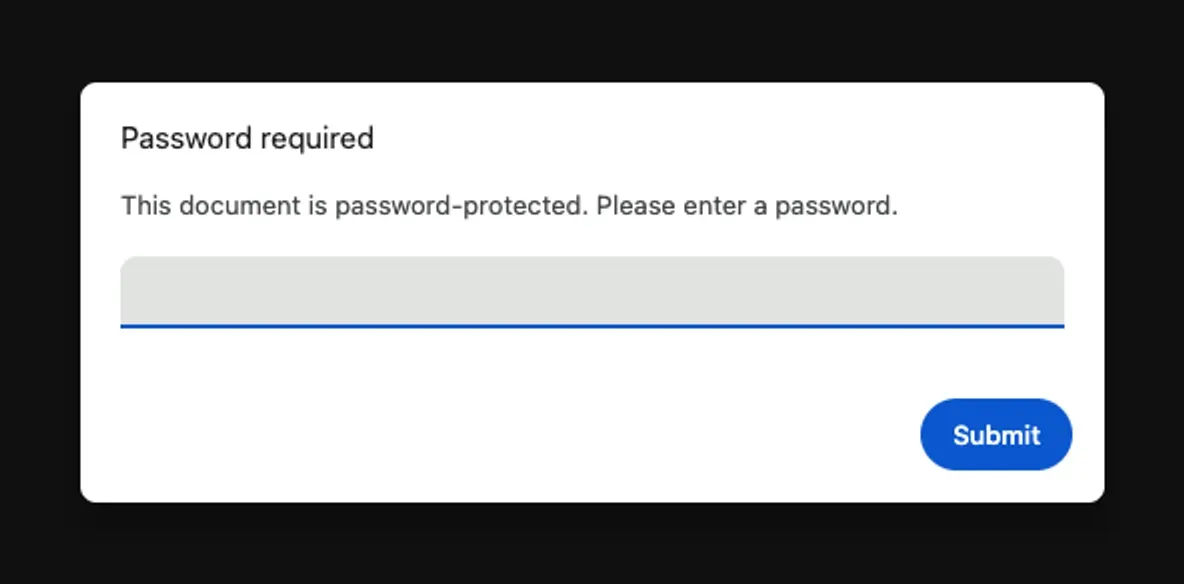
Tip: If a Net Banking PDF won't open with your account number, try the number without any leading zeros. Need a different bank? See HDFC statement password, PNB statement password, Federal Bank statement password, or our complete Indian bank password guide.
If the SBI password doesn't work
When the viewer answers with “incorrect password” it is almost never the pattern that is wrong — the same four formats have held through 2026 — but the assumption about which channel produced the file. Work down this list in order; the first three settle most cases, including the transaction history exports people save from YONO and then cannot reopen.
- Confirm the source — a YONO-downloaded PDF uses DOB, a Net Banking PDF uses the account number; swapping them won't work
- Check DOB on file — YONO → My Profile → Personal Details shows what SBI has
- Use the full 11-digit account number for Net Banking PDFs — partial numbers or masked versions fail
- For credit card statements, name is strictly the first 4 letters as printed on the card, lowercase, followed by DDMM
- Check the date of birth SBI actually holds — the one on your KYC record decides the password, even when a different date is on your school certificate
- Eight digits, not six — DDMMYYYY opens a YONO download; DDMMYY belongs to emailed and WhatsApp statements
- Keep leading zeros in dates: 1 January 1985 is 01011985, never 111985
- If the file came by email after an SMS request, the password is the 4-digit code from that SMS and nothing else will open it
- If nothing works, call SBI toll-free on 1800-11-2211 or visit a branch with Aadhaar / PAN to verify details and request a fresh statement
Statement unlocked? Run it through the SBI bank statement analyzer — AI categorizes every UPI, NEFT, and card transaction, shows where your money went, and exports to Excel for ITR filing or your CA.
Frequently asked questions
What is the password for an SBI bank statement PDF?
SBI uses two different passwords depending on where you downloaded the statement. From the YONO SBI app, the password is your date of birth in DDMMYYYY format (eight digits, no separators). From OnlineSBI Net Banking, the password is your full account number. From the SBI Credit Card portal, the password is the first 4 letters of your name (lowercase) followed by DDMM of DOB.
What is the SBI YONO statement password format?
The YONO SBI app password is your date of birth in DDMMYYYY — eight digits with no hyphens, slashes, or spaces. For example, a customer born on 15 August 1990 would enter 15081990. This applies to statements downloaded directly through the YONO app for savings, current, salary, and loan accounts.
What is the SBI Net Banking statement password?
Statements downloaded from OnlineSBI (Net Banking at onlinesbi.com) are password-protected with your full SBI account number — typically 11 digits. You can find the account number on your passbook, cheque leaf, or in the YONO app under Account Details. Do not confuse it with your customer ID or IFSC-prefixed number.
What is the SBI credit card statement password format?
For SBI Credit Card statements sent as password-protected PDFs, the default format is the first 4 letters of your name (lowercase) followed by DDMM of your date of birth. Example — name 'Rajesh', DOB 15 Aug: raje1508. If that doesn't open the statement, try the last 4 digits of your card number followed by DDMM.
What if the SBI password doesn't work?
Confirm you're using the right format for the source: YONO = DOB DDMMYYYY, Net Banking = account number, Credit Card = first 4 letters of name + DDMM. If the format is correct but the password still fails, verify the DOB or account number on file at SBI (YONO → My Profile → Personal Details). For locked statements older than 5 years, call SBI at 1800-11-2211 to have them re-sent.
How do I open a password-protected SBI PDF?
Open the PDF in Adobe Reader, Preview on Mac, or a Chrome tab. When prompted, enter the correct password for the source (YONO, Net Banking, or Credit Card portal). To save an unlocked copy, use File → Print → Save as PDF — the re-saved file opens without a password.
Where do I download my SBI statement?
YONO app: open the app → tap your account → Statements → select period → Download. OnlineSBI: log in at onlinesbi.com → Account Summary → E-Statement → choose period → Download PDF. SBI Credit Card: log in at sbicard.com → Statements → select billing cycle → Download. All three produce password-protected PDFs — the password depends on which source you used.
What is the SBI WhatsApp statement password?
SBI WhatsApp Banking (+91 90226 90226) sends the account statement as a password-protected PDF. The format customers report is the last 5 digits of the registered mobile number followed by the date of birth as DDMMYY — mobile ending 98765 with a date of birth of 15 August 1990 gives 98765150890. SBI does not publish this format, so read the hint in the WhatsApp message itself before trying anything else.
What is the password for an SBI e-statement requested by SMS?
If you texted ESTMT <account number> <code> to 917208933145, the PDF emailed back is encrypted with the four-digit code you chose in that message — not your date of birth or account number. SBI states this on its SMS banking page, and the statement covers the last six months of a savings account. If you have forgotten the code, send a fresh request with a new one.
What is the password for an SBI FD receipt or PPF statement?
The channel decides, not the document. An FD advice or PPF statement saved from YONO opens with your date of birth as DDMMYYYY, the same file pulled from OnlineSBI opens with the account number, and an emailed copy follows the emailed-statement format. For a PPF or deposit account document, the account number is that account's own number, not your savings account number.
SBI statement ka password kya hota hai?
It depends on the source. YONO app: date of birth as DDMMYYYY (15081990). OnlineSBI net banking: your full account number. Email or WhatsApp: usually the last 5 digits of your registered mobile plus DDMMYY. SMS request: the 4-digit code you sent. There is no single password that opens every SBI PDF.
Is my YONO-downloaded statement password protected?
Yes. YONO statements are password-protected by default for security, with DOB in DDMMYYYY as the password. This is true even when you download directly to the device — you'll need to enter the password when opening the PDF in a viewer. You can remove the password by re-saving via File → Print → Save as PDF.

