
Bank statement verification software
Verify an uploaded bank statement for tampering
Upload a PDF statement and check for tampering , balance errors , font manipulation in seconds. If you want the educational explainer, see our guide on how lenders verify bank statements.
12+ automated checks
What the AI verifies on every statement
Each check produces a green flag or red flag with a detailed explanation. Nothing is skipped.
Font consistency
Detects if different fonts or sizes were used to alter amounts or names — a classic sign of PDF editing.
Balance arithmetic
Recalculates running balances from every transaction. If the math doesn't add up, the statement was modified.
Date sequence
Checks that transactions appear in chronological order. Out-of-sequence dates suggest inserted or deleted rows.
Visual alignment
Analyzes text alignment, spacing, and kerning. Edited PDFs often have subtle misalignment invisible to the eye.
PDF metadata
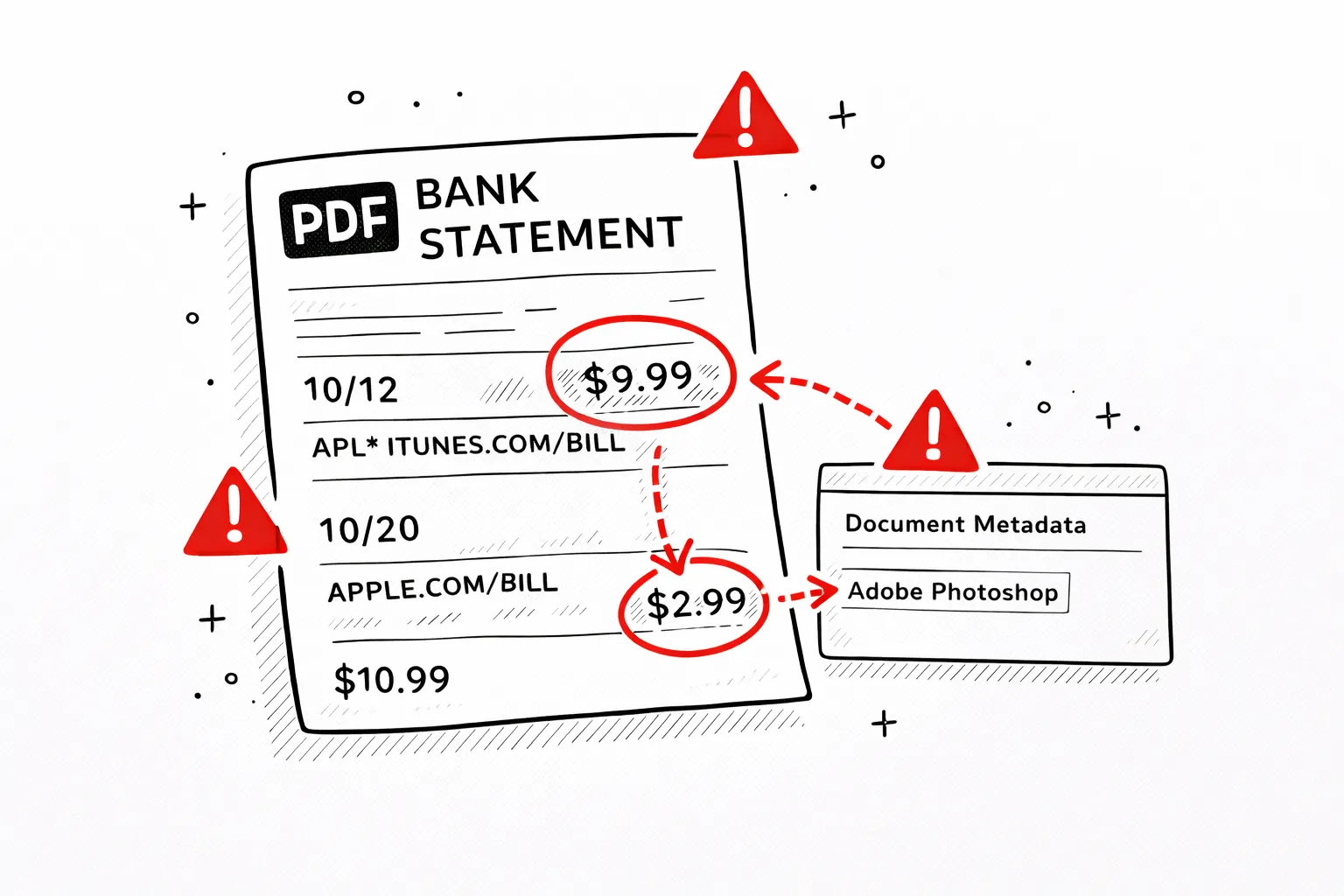
Inspects creation software, modification dates, and edit history embedded in the PDF. Catches statements edited in Photoshop or Word.
Round number patterns
Flags statistically unlikely patterns — too many round numbers, suspiciously even amounts, or fabricated-looking transactions.
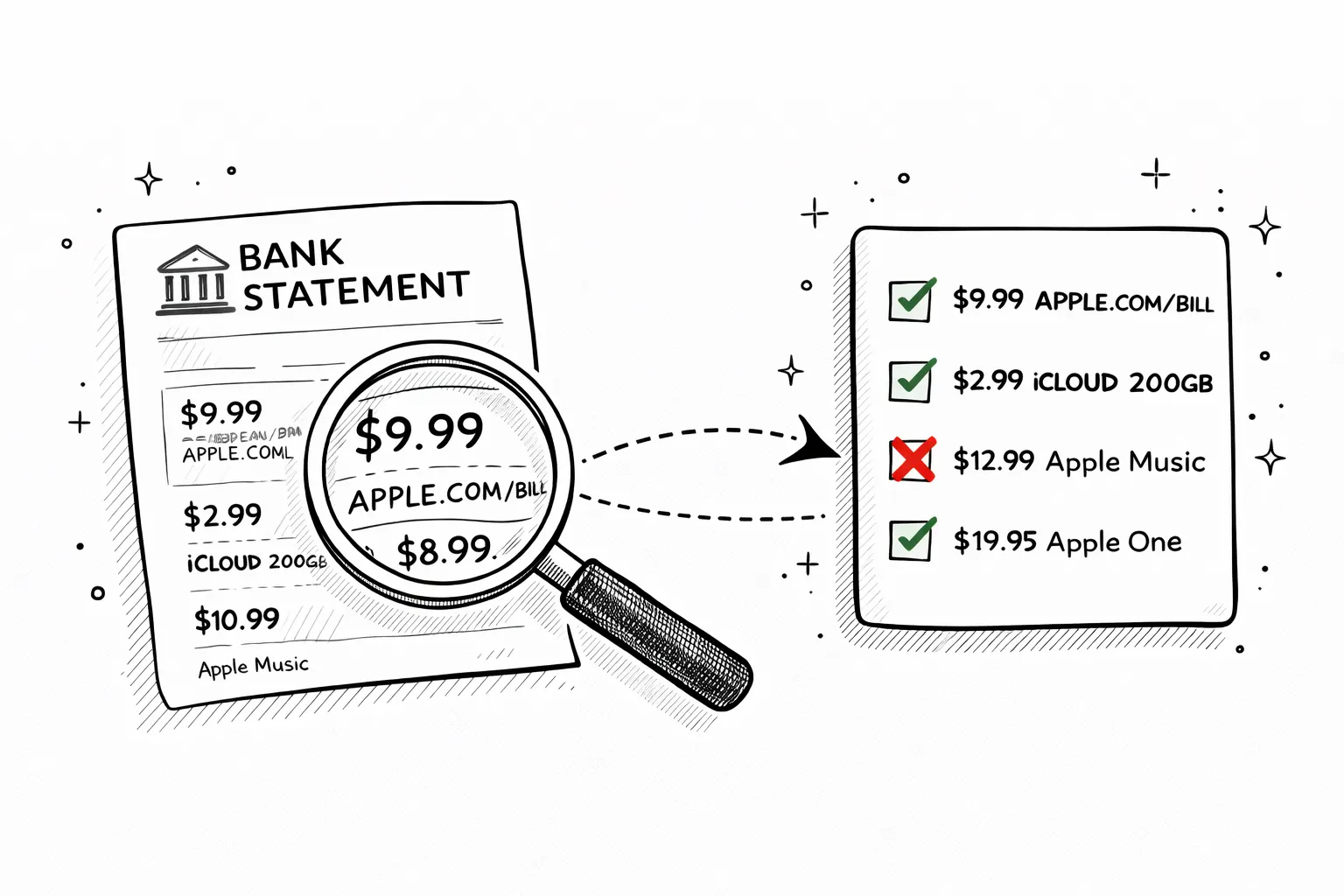
How it looks
Green flags and red flags — clearly explained
No cryptic scores or jargon. Each check shows a clear pass or fail with a plain-English explanation of what was found and why it matters.
Why manual verification isn't enough
A trained eye can spot obvious forgeries — wrong logos, mismatched fonts, round-number deposits that don't look real. But most bank statement fraud today is more subtle. Someone opens the PDF in a text editor, changes one digit in a salary deposit, and saves it. Thefont looks identical, thealignment is perfect, but therunning balance no longer adds up. A human reviewer would have to manually verify every transaction total to catch it. Our AI does this check in under a second.
PDF metadata is another blind spot. When someone edits a bank statement in Adobe Acrobat or Photoshop, the file's internal metadata records which software made the change and when. Banks don't generate statements in Photoshop — so if the metadata says “Adobe Photoshop CC”, that's a clear red flag. Manual review never looks at metadata. Automated verification always does.
Statistical patterns matter too. Real bank statements have organic transaction amounts — $47.23, $112.87, $8.50. Fabricated statements tend to cluster around round numbers and even amounts. Our AI runsstatistical analysisacross all transactions to detect these patterns — something no manual reviewer would do for a 3-page statement.
Who verifies bank statements — and why
Anyone who receives a bank statement from someone else should verify it before making a decision based on it.
Landlords & property managers
Tenants submit bank statements to prove income. Verify before signing a lease — fabricated income is the most common rental fraud.
Lenders & mortgage brokers
Loan applicants inflate income or hide debts. Automated verification catches balance manipulation and metadata tampering before you approve.
Accountants & auditors
Clients provide statements for tax prep and audits. Verify authenticity as part of due diligence — protects your professional liability.
HR & background check teams
Some employers verify financial stability during hiring. Run a quick authenticity check before making employment decisions based on financial docs.
Common red flags
Secure
Your PDF is processed in memory and never saved to disk. All data is encrypted in transit.
Private
We never sell or share your financial data. Anonymous uploads are auto-deleted after 7 days.
Transparent
No hidden fees, no account required. Try it without an account, or create a free account for 1 analysis per month.
Pricing
Pick by volume
One-time for a single report. Basic for regular files. Pro for heavy statements.
- 500 PDF pages per month
- Up to 100 visible transactions per report
- Subscription and recurring charge detection
- AI explanations for spending patterns
- 12-month analysis history
- Unlimited PDF pages
- Unlimited visible transactions per report
- Receipt scanning (5/mo)
- Priority support
FAQ
Bank statement verification FAQ
Ready?
Upload one statement.
Get the full picture.
No credit card. No account. Drop a PDF and see every transaction categorized in 30 seconds.
Try it free →Related reading
How to Verify a Bank Statement Is Real
Manual checks and AI tools for spotting forgeries before they cost you.
Consequences of a Fake Bank Statement
Civil and criminal liability for submitting a forged financial document.
Bank Statement Verification Guide
Methods landlords, lenders, and employers use to authenticate statements.