
Free bank statement converter
Free bank statement converter
Convert any bank statement PDF to CSV , Excel , QIF , OFX, or QBO. Upload a PDF, let AI extract every transaction, and get a clean export in about 30 seconds with no manual entry.
Choose The Right Tool
Need raw transaction rows first?
Use extraction software when the job is turning a PDF into structured rows for spreadsheets or downstream systems.
Open extraction software →Need to compare software options?
Use the software page when you are evaluating OCR, privacy, setup, and best-tool tradeoffs.
Compare bank statement software →Need analysis, not just exports?
Use the analyzer workflow if you want categories, trends, recurring charges, and a full report instead of a format conversion.
Open the analyzer →One upload, five formats
Convert to any format your workflow needs
Upload once. Choose your output. Same clean, categorized data — packaged for the tool you actually use.
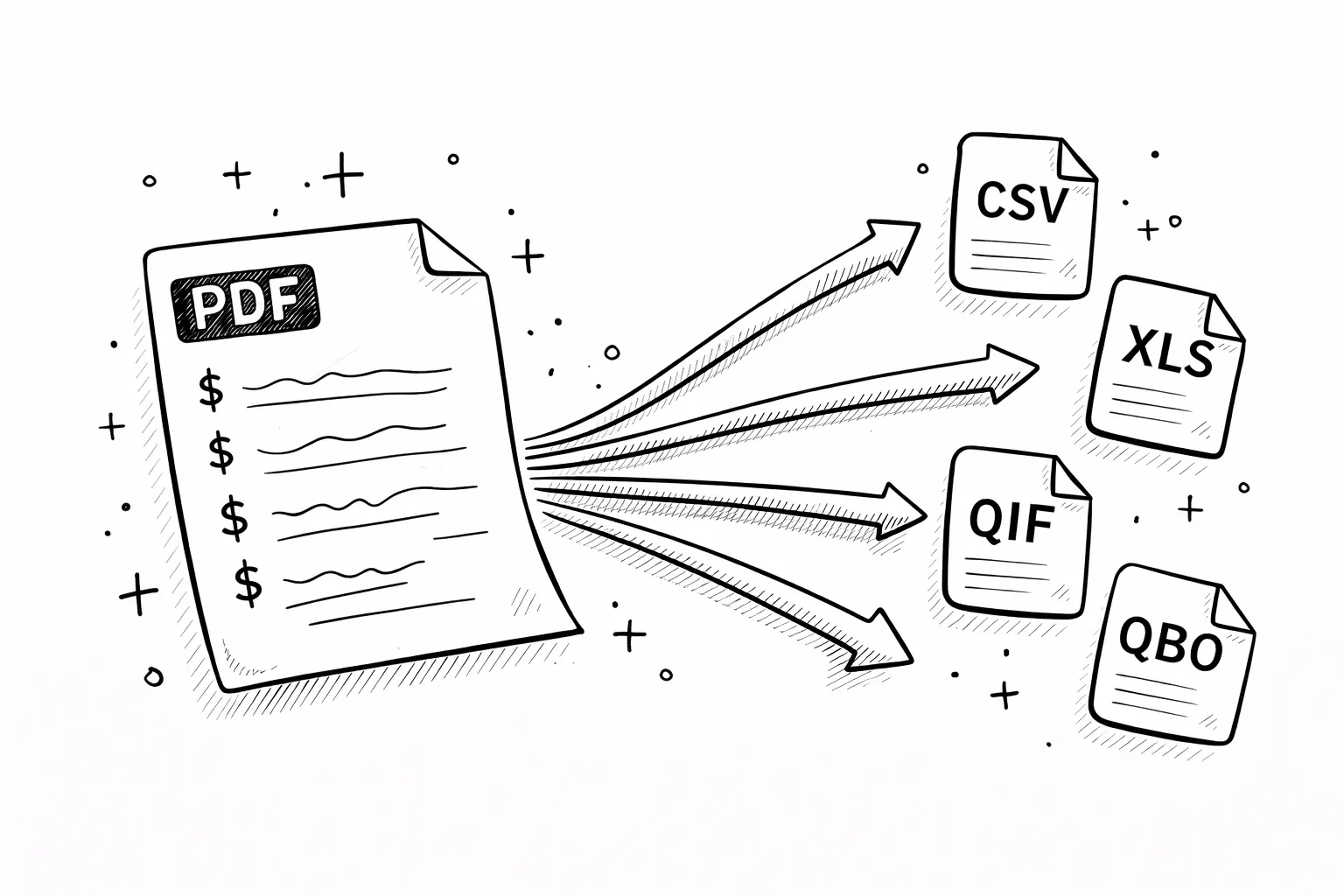
CSV
.csv
Universal. Opens in Excel, Sheets, Numbers. Imports into QuickBooks, Xero, Wave, Mint, and every budgeting app.
Excel
.xlsx
Native Excel workbook with formatted columns, filters, and headers. Ready for pivot tables and charts.
QIF
.qif
Quicken Interchange Format. Direct import into Quicken, Moneydance, and older accounting software.
OFX
.ofx
Open Financial Exchange. Used by Microsoft Money, GnuCash, and most desktop financial applications.
QBO
.qbo
QuickBooks Web Connect. Drag-and-drop import into QuickBooks Desktop and Online. No column mapping needed.
All formats contain
identical extracted data.
Same accuracy. Different packaging.
Why bank statements need a dedicated converter
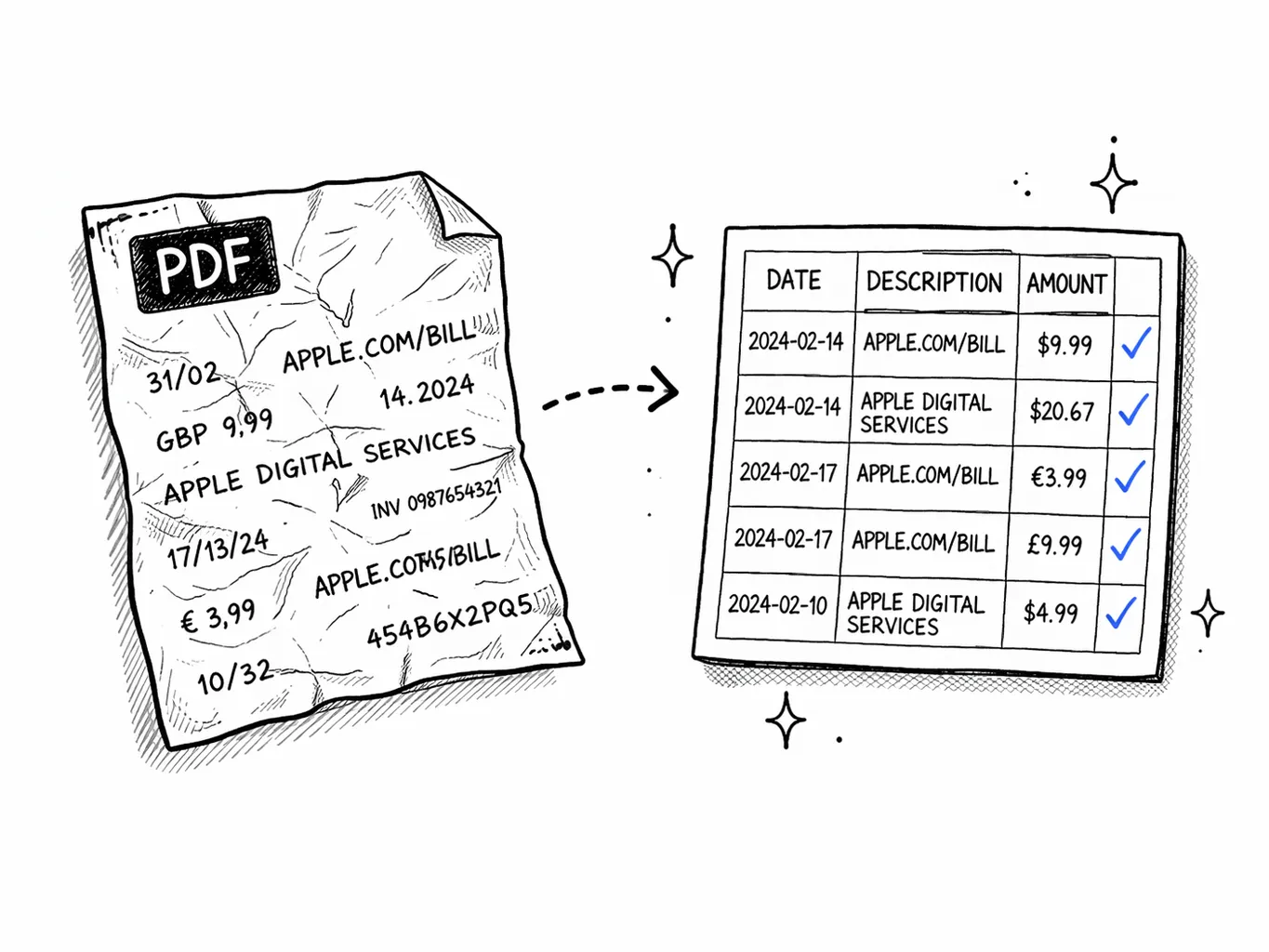
Bank statement PDFs are built for humans, not software. They look fine on screen, but the internal structure is a maze ofmulti-column tables,inconsistent date formats, andrepeated headers across pages. Copy-paste the PDF into Excel and you get broken rows, merged cells, and amounts in the wrong columns.
Generic PDF-to-text tools don't understand that “WHOLE FOODS MKT #10247” is a grocery purchase, or that a separate debit column means the same thing as a negative amount. They dump raw text and leave you to sort it out. A dedicated bank statement converter understands the table structure and keeps dates, descriptions, and amounts together as one transaction.
The result is a clean bank statement export where every row is one transaction withdatedescriptionamountcategory— ready to import into Excel, Google Sheets, QuickBooks, Xero, or any tool that needs structured statement data.
What you get
Every transaction, broken into 4 clean fields
No guesswork, no manual cleanup. Each row in your export is one transaction with these exact columns.
accuracy
99.2%
time
30s
Date
03/15/2026
Normalized to MM/DD/YYYY regardless of bank format. Chase uses MM/DD, Barclays uses DD/MM — we detect and standardize automatically so your spreadsheet sorts correctly.
Description
WHOLE FOODS MKT #10247
The full merchant name exactly as printed. Abbreviations preserved so you can cross-reference with your original statement. No truncation, no rewriting.
Amount
-$67.42 / +$3,250.00
Negative for purchases and withdrawals, positive for deposits. Banks with separate debit/credit columns (Wells Fargo, BofA) are merged into one signed value.
Category
Groceries
AI assigns one of 19 categories: Groceries, Dining, Transport, Shopping, Housing, Utilities, Subscriptions, Healthcare, Entertainment, Travel, and more.
The problem
Six reasons generic converters break on bank statements
Bank PDFs aren't normal documents. They need a converter built specifically for financial data.
Multi-column layouts
Banks print 3–5 column tables. Generic tools lose which amount belongs to which date.
Split debit/credit
Wells Fargo and BofA separate withdrawals and deposits. We merge them into signed amounts.
Scanned paper PDFs
Image-only PDFs with zero extractable text. Our OCR reads them, generic tools return blank.
Date format chaos
MM/DD, DD/MM, Jan 15, 15-01-2026. We normalize all dates so your CSV sorts correctly.
Repeated headers
9-page statements repeat column headers on every page. Generic tools count them as transactions.
Running balance columns
Some banks include a running balance. Generic tools count this as a transaction amount.
Who needs a bank statement converter — and why
Different people, same problem: the bank gives you a PDF, but your workflow needs structured data.
Accountants & Bookkeepers
Import client bank statements directly into QuickBooks, Xero, or Sage. Stop re-typing transactions from PDF printouts.
Freelancers & Contractors
Convert statements for tax prep. Export categorized income and expenses to a spreadsheet your accountant can use directly.
Mortgage & Loan Applicants
Lenders want spreadsheet data, not PDFs. Convert your statements so underwriters can see income and expenses at a glance.
Small Business Owners
Reconcile business bank accounts without manual entry. Upload the PDF your bank gave you, download a clean CSV for your books.
Which format should you choose?
All five formats contain the same extracted data — date, description, amount, and spending category for every transaction. The difference is where you're importing.
CSV — the safe default
Opens everywhere. Excel, Google Sheets, Numbers, Python, R, any database. If you're not sure, pick CSV.
Excel — for analysis
Native .xlsx with formatted headers and column widths. Best if you're building pivot tables, charts, or budget templates.
QIF / OFX / QBO — for accounting software
Direct import into QuickBooks, Quicken, Xero, Sage, GnuCash. No column mapping, no manual steps — just drag and drop.
Your bank gives you a PDF. Your accountant needs a QBO. Your tax preparer wants Excel. Your budgeting app imports CSV. Different tools speak different formats — this converter bridges the gap. Upload once, export in whichever format your workflow requires.
Choosing the export
Which output format is right for your workflow?
CSV
Best when you want portability. Good for imports, scripts, Google Sheets, and teams that need a simple universal file.
Excel
Best when the next step is manual analysis: formulas, pivots, quick QA, or sharing with someone who lives in spreadsheets.
QBO / OFX / QIF
Best when the next step is accounting software. These formats reduce reformatting and usually fit import workflows better than a plain spreadsheet.
More than one
Sometimes the right answer is two exports: one accounting-ready file for import and one spreadsheet for review, audit, or category cleanup.
Methodology & Buying Guides
Proof pages for teams choosing a bank statement converter
These supporting pages explain how extraction works, what affects accuracy, which statement types are supported, and what to compare before you commit to a conversion workflow.
How It Works
→See how uploads move from PDF or image to structured transactions, categories, and export files.
Accuracy
→Understand what accuracy means for digital PDFs, scanned statements, OCR, categorization, and exports.
Supported Banks
→Check which statement types, regions, and export formats work best with the analyzer and converter.
Best Analyzer Guide
→Comparison-style page for buyers evaluating statement analysis tools and workflows.
Best Converter Guide
→Commercial comparison page for teams choosing a bank statement converter or PDF-to-CSV workflow.
Pricing
Pick by volume
One-time for a single report. Basic for regular files. Pro for heavy statements.
- 500 PDF pages per month
- Up to 100 visible transactions per report
- Subscription and recurring charge detection
- AI explanations for spending patterns
- 12-month analysis history
- Unlimited PDF pages
- Unlimited visible transactions per report
- Receipt scanning (5/mo)
- Priority support
FAQ
Bank statement converter FAQ
Ready?
Upload one statement.
Get the full picture.
No credit card. No account. Drop a PDF and see every transaction categorized in 30 seconds.
Try it free →Related reading
Import to Xero & QuickBooks
Step-by-step guide to importing converted statement data into accounting software.
Bank Statements for Self Assessment
How to use converted data to calculate income and expenses for your tax return.
Bank Statement QIF Format
What QIF files are, which apps accept them, and when to use QIF vs CSV.