PDF toQBO
Upload any PDF bank statement and get a .qbo file ready to import into QuickBooks Online or QuickBooks Desktop.
How it works
Three steps to a QuickBooks import
Upload your PDF
Drag and drop your bank statement — downloaded from your bank or scanned from paper. Both work.
AI extracts every transaction
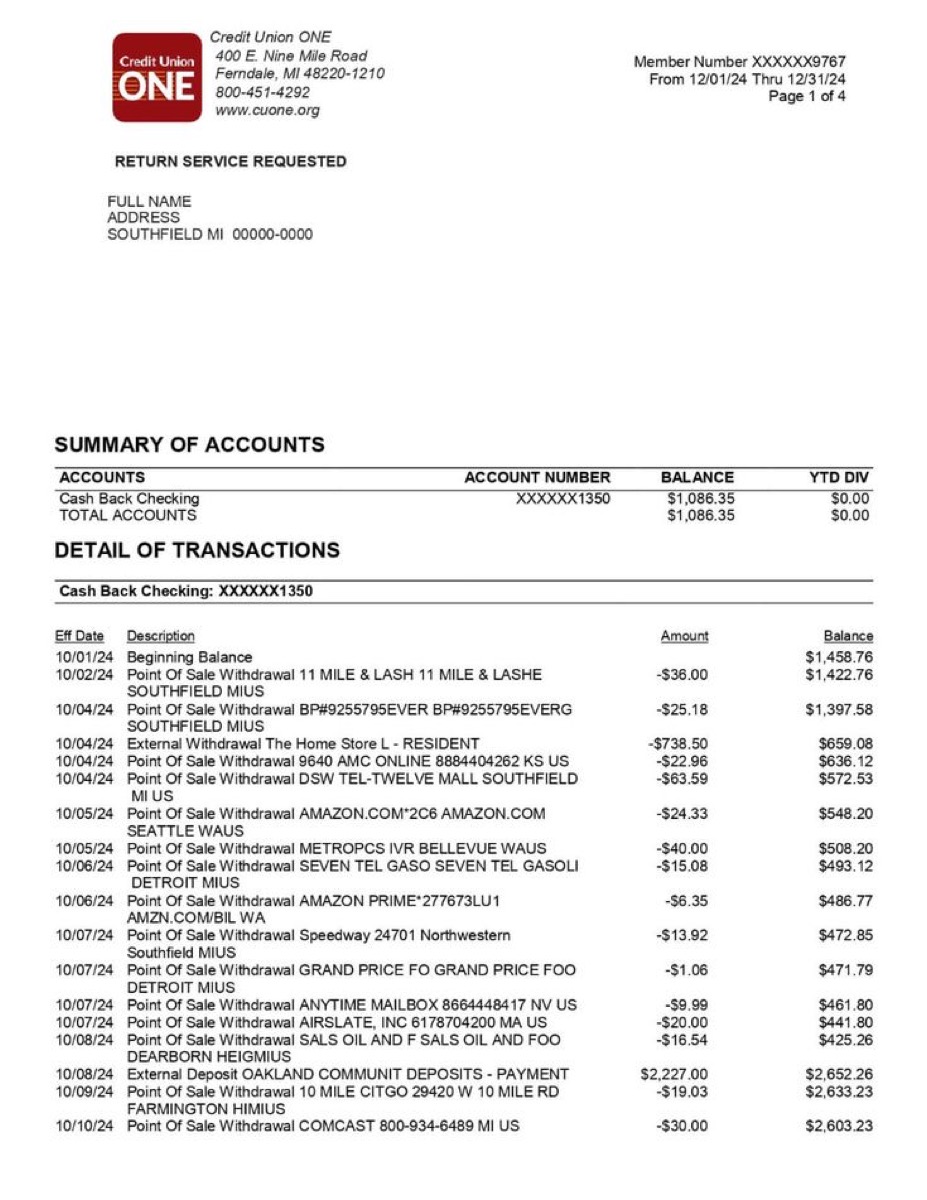
Our AI reads each row, identifies dates, merchants, and amounts, then structures the data for QuickBooks.
Download QBO & import into QuickBooks
One click exports a .qbo file — drag it into QuickBooks Online or Desktop and your transactions appear instantly.
1.Upload your PDF
Drag and drop your bank statement — downloaded from your bank or scanned from paper. Both work.
2.AI extracts every transaction
Our AI reads each row, identifies dates, merchants, and amounts, then structures the data for QuickBooks.
3.Download QBO & import into QuickBooks
One click exports a .qbo file — drag it into QuickBooks Online or Desktop and your transactions appear instantly.
Why us
Not just a file converter — a QuickBooks import tool
Preview
What the QBO export looks like
A valid OFX/QBO file — imports directly into QuickBooks Online or Desktop.
The problem
Why you need a PDF to QBO converter
Why convert PDF bank statements to QBO format
QBO (QuickBooks Web Connect) is the native import format for QuickBooks Online and one of the most reliable ways to get bank transactions into your accounting software. Unlike CSV uploads that require you to manually map columns every time, a QBO file contains structured XML data that QuickBooks reads instantly -- dates, amounts, payee names, and unique transaction IDs are all in place before you even click Import. Our converter takes any bank statement PDF and produces a clean .qbo file in seconds.
One of the biggest advantages of QBO over other formats is built-in duplicate detection. Every transaction in a QBO file carries a unique FITID (Financial Transaction ID). When QuickBooks imports the file, it checks each FITID against transactions already in your register and flags potential duplicates before adding anything. This means you can safely re-import overlapping date ranges without creating a mess in your books -- something that is not possible with plain CSV imports.
If you are deciding between QBO and IIF, the distinction is straightforward. QBO files are for bank transaction feeds -- the same data your bank sends when you connect an account directly. IIF files, on the other hand, are a QuickBooks Desktop format used for importing lists, journal entries, and complex accounting data. For getting bank statement transactions into QuickBooks Online, QBO is the right choice every time.
Our AI reads every line of your PDF -- whether it is a native digital download or a scanned paper statement -- and extracts the date, payee name, amount, and transaction type for each entry. It then writes a properly formatted QBO file with correct OFX headers, bank identifiers, and FITIDs. The result is a file that QuickBooks treats exactly like a direct bank feed, so your bank rules, auto-categorization, and reconciliation workflows all work normally.
Pricing
Start with one report
Pay once when you need one full result. Subscribe only when statement work becomes regular.
- All transactions unlocked for this report
- Categories, charts, and subscription detection
- CSV and Excel exports included
- No renewal, no account required
FAQ
PDF to QBO converter FAQ
What is a QBO file?+−
Is this converter really free?+−
Which banks are supported?+−
How do I import a QBO into QuickBooks?+−
What's the difference between QBO and IIF?+−
Will it create duplicate transactions?+−
Is my data private?+−
Convert your PDF to QBO — free
No account required. Get a QuickBooks-ready .qbo file in under 30 seconds.
Upload PDF & Convert to QBO