
Extract every line item automatically
Receipt to Excel
Upload any receipt — get line items , AI categories , Excel download in seconds.
From crumpled receipt to clean spreadsheet
Four steps, all automatic. You just upload.
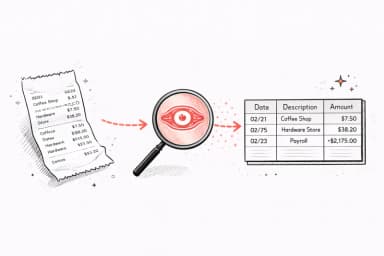
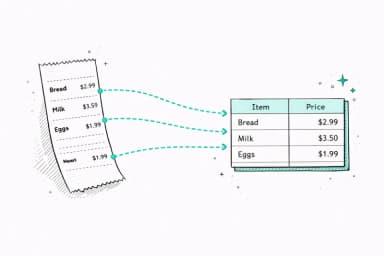
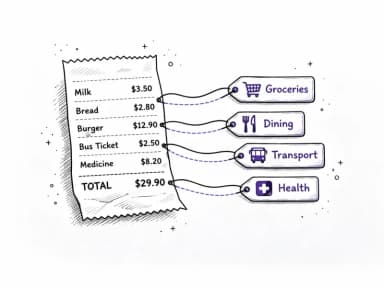
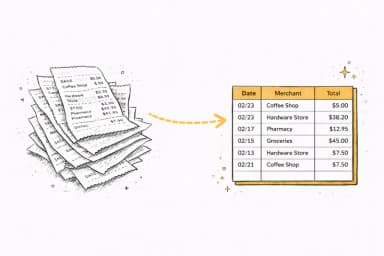
What the output looks like
Every receipt becomes a row with merchant, date, items, subtotal, tax, and total — ready for Excel, Google Sheets, or QuickBooks.
What gets extracted from each receipt
AI reads every field on your receipt and puts it into its own column — not just the total.
Merchant name
Store, restaurant, or vendor
Date
Transaction date from receipt header
Line items
Product descriptions and quantities
Unit prices
Per-item price before tax
Subtotal
Total before tax and fees
Tax amount
Sales tax or VAT applied
Total amount
Final amount charged
Payment method
Card type and last 4 digits
Other tools choke on your statement
Scanned, photographed, blurry, or in another language — we handle it all.
Others
- Can't read scanned statements
- Mixes up columns and dates
- Doesn't understand transaction context
- Manual sorting required
- English only
Our analyzer
- Reads any PDF — scanned, digital, or photo
- Gets columns right every time
- Understands context: $1,200 to "RESIDENT MGMT" = rent
- Auto-categorizes every transaction
- 35+ languages supported
Who converts receipts to Excel?
Anyone who's tired of typing receipt data by hand. Here are the most common use cases.
Expense reports
Upload all your work receipts and get a single spreadsheet your employer can review — no manual data entry.
Tax preparation
Track deductible expenses throughout the year. Your accountant gets organized totals by category instead of a box of paper receipts.
Business bookkeeping
Small business owners can extract receipts into Excel and import into QuickBooks, Wave, or Xero — without manual entry.
Reimbursement claims
Submit clean itemized Excel exports to HR or finance instead of scanning paper receipts. Faster approvals.
Personal budgeting
Track spending at a line-item level — not just totals. See exactly what you're buying at each store.
Client billing
Freelancers: extract receipts for reimbursable expenses and attach the structured export to client invoices.
Works with every receipt type
Any receipt in PDF, JPG, or PNG — from any store, restaurant, or service.
More than just categories
Real financial clarity from your bank statement.
Subscription tracker
Find the charges you forgot about
AI scans every transaction and flags recurring payments. Most people discover at least one subscription they'd forgotten.
- Detects monthly, annual, and weekly charges
- Shows your true monthly subscription cost
- Spots free trial conversions before they auto-renew
Subscription tracker
Find the charges you forgot about
AI scans every transaction and flags recurring payments. Most people discover at least one subscription they'd forgotten.
- Detects monthly, annual, and weekly charges
- Shows your true monthly subscription cost
- Spots free trial conversions before they auto-renew
AI Insights
Your finances, explained by AI
Get a personalized breakdown of spending habits and anomalies. AI reads every transaction and tells you what actually matters.
- Highlights unusual spending spikes
- Tracks month-over-month trends
- Summarizes financial health in plain English
AI Insights
Your finances, explained by AI
Get a personalized breakdown of spending habits and anomalies. AI reads every transaction and tells you what actually matters.
- Highlights unusual spending spikes
- Tracks month-over-month trends
- Summarizes financial health in plain English
Smart recommendations
Not generic tips — your tips
Every recommendation is based on your actual transactions. Specific dollar amounts, not vague advice.
- Based on your real spending patterns
- Specific dollar amounts you can save
- Actionable in under 5 minutes
Potential monthly savings
$227/mo
Potential monthly savings
$227/mo
Smart recommendations
Not generic tips — your tips
Every recommendation is based on your actual transactions. Specific dollar amounts, not vague advice.
- Based on your real spending patterns
- Specific dollar amounts you can save
- Actionable in under 5 minutes
Analyze your own statement
Upload a PDF, get your full report in 30 seconds.
Pricing
See where your money goes
Upload a statement and get answers in seconds. No card required.
- 1 analysis / month
- 50 transactions per document
- Auto-categorized transactions
- Money flow visualization
- Export to CSV, Excel, QIF, OFX & QBO
- 500 pages / month
- 100 transactions per document
- Everything in Free
- AI savings advisor chat
- Find hidden subscriptions
- 12 months history
- Everything in Basic
- Unlimited pages
- Unlimited transactions per document
- 5 image recaps / month
- Priority support
FAQ